Services / Veeva managed services

Veeva managed services

Veeva managed services

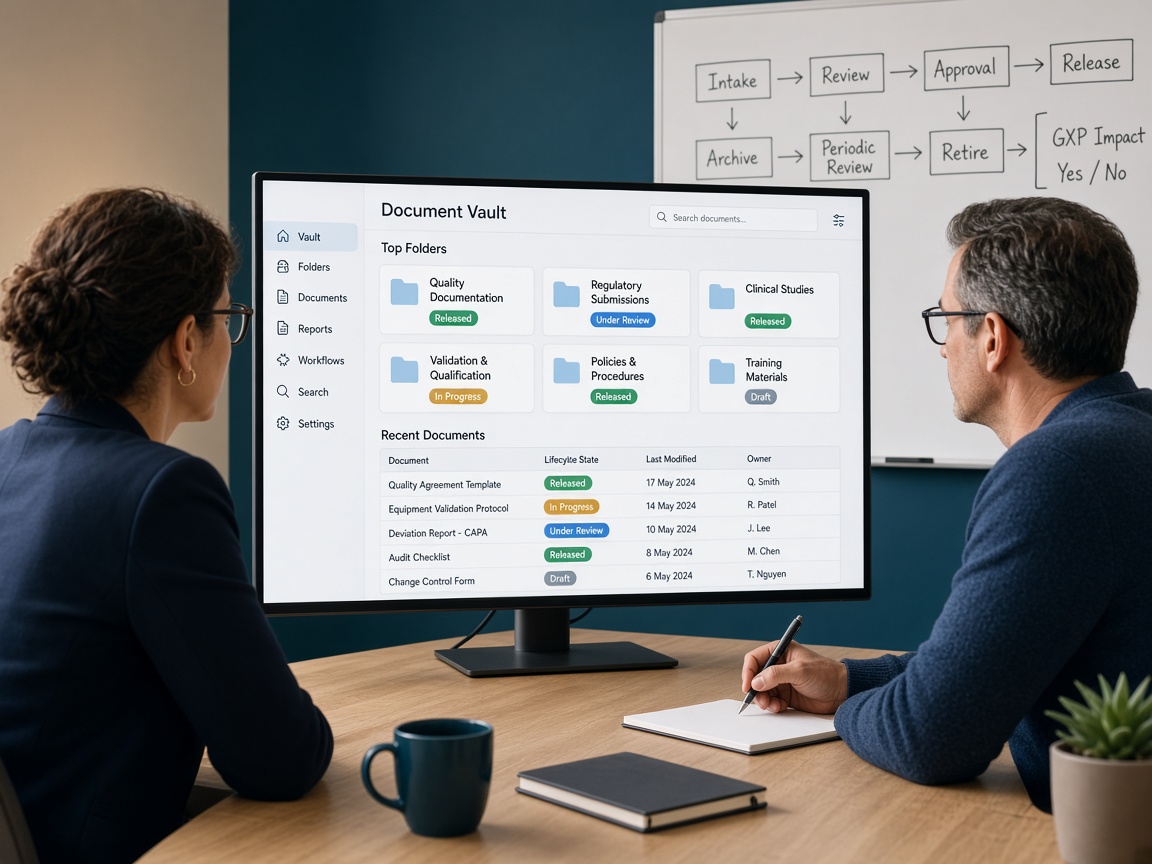
A Vault that is “live” is not finished. Releases arrive, roles drift, tickets pile up, and the SOP no longer matches the screens. CliniGene operates Veeva as a managed service: we keep intended use current, classify work, draft change and release assessments, and support administration under your change-control SOP. Your Vault owner still approves what goes to production.

The problem this process is built for

Most Vault pain shows up after go-live. The implementation partner leaves. General releases change behavior. A well-meaning admin adds a lifecycle state that the validation pack never mentioned. Users open tickets that are really training or SOP problems. Nobody owns the living picture of intended use.

Managed services is that ownership: a named operating rhythm for access, configuration change, release impact, ticket triage, and the evidence an inspector will ask for six months later.

AI helps because release notes, ticket text, and configuration exports are long and repetitive. It is not allowed to click production Configure or to decide residual risk. People still approve changes.

What this has to survive

An inspector asks who operates the vault, what changed since the last validation, and how the last general release was assessed. You should open intended use, the change log, and a signed release note — not a vendor webinar deck.

Standards we score against

  • Your intended-use statement and the last approved validation / CSA pack
  • GAMP 5 and FDA CSA for delta and periodic review
  • 21 CFR Part 11 / EU Annex 11 for electronic records and signatures
  • Your change-control, access-management, and document-control SOPs
  • Veeva release documentation, constrained by how you actually use the vault

Where teams get stuck

  • No one can say what the vault is intended to do in one paragraph
  • General releases applied with a hope and a smoke test
  • Configuration changed in production with no workbook update
  • Ticket backlog that mixes defects, training, and enhancements
  • Roles and overlays that no longer match the SOP

Who it is for

Vault business owners, quality, IT, and validation leads who already have eTMF, QualityDocs, QMS, Study Startup, or related Vault applications in use — or who just went live and do not have a standing operations team.

What AI does — and does not do

On Veeva managed services, AI drafts release-impact notes, ticket classes, drift lists, and change-assessment language from the vault you already run. Your system owner approves production changes. Your validation lead signs delta assurance. AI drafts maps, flags, first-pass language, and punch lists. A named specialist accepts, edits, or dismisses every official finding. AI does not sign a quality record, approve a vendor, freeze Vault, or speak in an inspection.

Questions on fit? hello@clini-gene.com or the contact form.

When to start this process

Start when the implementation partner is leaving, when a general release is coming and nobody owns impact, or when tickets and silent configuration changes have piled up for a quarter.

Also start right after go-live if you do not have a standing Vault admin. Do not wait until an inspector asks who has been changing workflows.

What this is not

  • Building a brand-new vault from a blank org as “managed services”
  • Clicking production Configure without your change-control SOP
  • Signing the validation or release decision unless that is written into the engagement
  • Acting as Veeva Support or replacing your vendor contract
AI in this process

How the model is used, layer by layer

Each layer has a human gate. AI does not write the official quality record.

Living intended use

From your SOPs, last validation pack, and current admin screens, AI keeps a draft of who uses the vault, for which GxP records, and what must not change without assessment. You edit it until it stays true.

Release impact draft

Vendor release notes are read against your intended-use list and configuration. AI proposes what is likely relevant, what is cosmetic, and what needs a delta-validation look. Your CSA owner decides the official split.

Config-drift watch

Periodic exports or screenshots are compared to the last approved workbook. New states, roles, workflows, or overlays are listed before they become an inspection surprise.

Ticket taxonomy

Incoming requests are drafted into training, defect, enhancement, or access. That keeps the backlog honest and feeds change control instead of silent production edits.

Change-assessment language

For an approved enhancement, AI drafts the impact note, SOP touch-points, and suggested test ideas. Your change board and validation lead still classify and sign.

Ops pack for inspection

A current intended-use paragraph, last release assessment, open changes, and who can pull an audit trail — so the war room is not a search party.

Want this process walked on your trial or system?

Send the study, Vault, vendor, or inspection window. We will say what we need and what a first pass looks like.

hello@clini-gene.com

End-to-end process

Step-by-step: from intake to re-check

  1. 1

    Onboard the vault

    Which applications, who the system owner is, how access is granted, and what “managed” covers this quarter (admin only, releases, changes, or all three).

  2. 2

    Freeze a baseline

    Intended use, configuration workbook (or a first harvest if you never had one), last validation summary, and the ticket/change SOP we will follow.

  3. 3

    Stand up the operating rhythm

    Release calendar, change intake, access requests, and a weekly or biweekly review. AI drafts; named people decide.

  4. 4

    Triage and administer

    Users, roles, overlays, and documented configuration work under your access rules. We do not improvise in production.

  5. 5

    Assess each release

    Impact draft → specialist review → delta-validation or documented rationale that nothing GxP-critical moved → your quality approval.

  6. 6

    Run changes as changes

    Enhancements go through impact, SOP check, test ideas, and your change control. Drift that appeared without a change is a finding, not a feature.

  7. 7

    Keep the file inspectable

    Workbook, release assessments, ticket themes, and residual risk stay current. That file is what CSV/CSA and inspection-readiness will ask for.

  8. 8

    Review the quarter

    What we operated, what still belongs to you, SOP deltas, and whether the managed scope should grow or shrink.

What a typical engagement looks like

Setting. Typical: eTMF or QualityDocs already live, thin hypercare, next general release in six weeks, no dedicated Vault admin.

What we do. Onboard, rebuild intended use and a drift baseline, classify the ticket backlog, run the next release assessment, and take standing admin and change intake for the quarter.

What you can show. You can show an inspector who operates the vault, what changed since validation, and why the last release was assured — not a pile of unread release notes.

Time

Onboarding a live vault is usually 4–8 weeks to a working rhythm. After that the service is monthly or quarterly: releases, changes, and a current ops pack. A brand-new vault build is out of this offering unless we agree it as a separate project.

How a typical calendar runs

  1. Days 1–10. Name the owner, collect intended use / last pack / tickets, agree what “managed” covers this quarter.
  2. Days 10–25. Baseline: intended use, configuration harvest, drift list, ticket taxonomy.
  3. Days 25–40. First release or change cycle run end-to-end with your quality approver.
  4. Month 2–3. Standing admin, intake, and release rhythm. Weekly or biweekly review.
  5. Each quarter. Ops pack: drift, open changes, residual risk, and whether scope should change.

What we need from you

  • Named Vault system owner and how production access is granted
  • Current SOPs and the last validation / CSA pack if you have one
  • Recent configuration export or admin access under your SOP
  • Release calendar and the last few months of tickets
  • Change-control and access-management procedures

You receive

  • Living intended-use note and configuration baseline
  • Release-impact assessments and delta-validation support
  • Ticket taxonomy and change-intake pack
  • Admin runbook and access / role hygiene notes
  • Quarterly ops pack: drift, open changes, residual risk

Questions we hear first

Is this the same as implementing a new vault?
No. Managed services assumes Vault is already in use, or just went live. We operate, assess, and change it under your SOP. A green-field build is a separate project if you need one.
Do you click Configure in production?
Only if your procedure and access model allow it, and only for work that has gone through change control. Default is we prepare and your admin or owner executes.
How do Veeva general releases work here?
We draft impact against your intended use, recommend what to assure, and keep the assessment in the ops pack. Your quality unit still approves the release decision.
Which Vault apps do you operate?
eTMF, QualityDocs, QMS, Study Startup, and similar clinical or quality vaults already in use. We scope the applications you name so intended use stays testable.
Do you replace a Veeva services partner?
We can work beside them. Managed services is the operating layer after (or instead of) a build SOW: releases, admin, changes, and an inspectable file.
What if our SOP still describes a shared drive?
That is a finding in onboarding. SOP development should run in parallel or we will be operating a vault against a dead procedure.

Start with Veeva managed services

Email hello@clini-gene.com or use the form. Mention Veeva managed services so we route it correctly.

hello@clini-gene.com

Talk with us about Veeva managed services

Email hello@clini-gene.com or send this form. The process is already selected.

Tell us the trial, Vault, vendor, or inspection date and what “done” looks like.

Send a message

Email hello@clini-gene.com if you prefer not to use the form.

See Privacy. We reply with how we can help and what we need next.

CSV and CSA

Apply GAMP 5 and FDA computer software assurance so testing follows patient-safety and data-integrity risk — not a copy-paste IQ/OQ/PQ for every screen.

Learn more →

eTMF quality review

Reconcile the electronic TMF to the TMF plan and milestones — completeness, QC, and inspectability — with AI pre-checks and TMF specialists issuing the official metric.

Learn more →